Research while browsing
Use the current page or a Tab Island as context without copying every passage into a separate assistant.
Independent tool overview
Aria has been renamed Opera AI, a free assistant built into Opera browsers for web-aware questions, page and tab context, file and image analysis, writing, translation, and image generation.
Visit the official Opera AI (formerly Aria) site ↗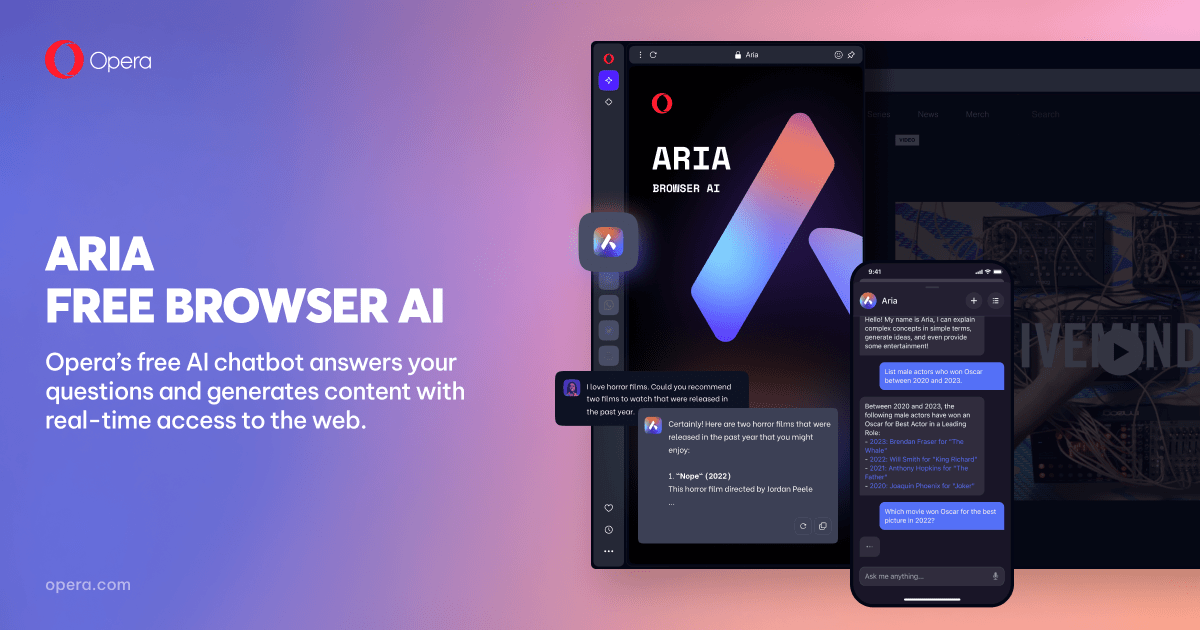
Overview
Aria was Opera's original name for its built-in browser assistant. In January 2026, Opera renamed it Opera browser AI, or Opera AI, while keeping and expanding the same core product. Older Aria links now lead to the current Opera AI page.
Opera AI lives beside the browser rather than in a separate chat site. It can use the active page or Tab Island as optional context, answer with current web information, summarize pages and YouTube videos, analyze uploaded files and images, generate images, write or translate text, and help compare information across a browsing session.
The assistant is free and can be used without an Opera account in current browser versions. Signing in raises the stated image-generation allowance from five images per day to 100. Opera lets users disable page access or turn the AI feature off entirely, but sensitive documents, medical pages, payment sites, and private data still deserve caution.
Use cases
The strongest fit depends on the job you need the product to complete, not the size of its feature list.
Use the current page or a Tab Island as context without copying every passage into a separate assistant.
Ask for a concise overview, key details, translation, or a specific moment in a supported YouTube video.
The no-cost, no-account entry point is useful for explanations, comparisons, drafting, and multilingual browsing.
Upload documents, spreadsheets, images, audio, or video when a browsing task needs additional context.
Capabilities
Opera AI can read the active page or the pages in a selected Tab Island when context access is enabled for the conversation.
The assistant can retrieve current information from the web for research, recommendations, explanations, and comparisons.
It can summarize supported YouTube videos and help locate relevant moments based on the video's context.
Users can upload supported documents, spreadsheets, images, audio, and video and ask questions using those files as context.
Opera AI can create images from a text prompt, including horizontal or vertical wallpapers sized for a device.
It can draft or rewrite text and translate or explain content across more than 50 languages.
Users can turn page access off for a chat, remove the Ask AI button, disable prompt tooltips, or switch Opera AI off entirely.
Process
Step 1
Click Ask AI in an updated Opera browser or use Ctrl+O on Windows and Cmd+O on macOS.
Step 2
Enable the active page or Tab Island only when its contents are relevant, and leave access off for sensitive sites.
Step 3
Request a summary, comparison, translation, file analysis, draft, or image with clear constraints and an intended use.
Step 4
Check the underlying pages and original documents before relying on factual, medical, financial, academic, or purchasing claims.
Cost
Opera AI is free in current Opera browsers and does not require an account. Opera currently limits accountless image generation to five images per day and lists 100 images per day for signed-in accounts. Other usage and feature limits may change.
Free
Use Opera AI in an updated Opera browser without creating or signing into an account.
Free
Signing into an Opera account raises the current image-generation allowance and may unlock additional features.
Pricing checked . Check current pricing at the source ↗
Assessment
Compare
The right alternative depends on the specific output, workflow, controls and budget your project requires.
Business Operations
Choose Microsoft Copilot for a browser-accessible assistant with deep Microsoft product integration.
Explore Microsoft Copilot →Data Analysis
Consider Perplexity when source-linked web research is more important than native Opera browser integration.
Explore Perplexity →Business Operations
Consider ChatGPT for a broader standalone assistant with extensive writing, analysis, coding, file, image, and agent workflows.
Explore ChatGPT →Questions
Yes, but under a new name. Opera renamed Aria to Opera browser AI, commonly shown as Opera AI, in January 2026. The current feature remains built into Opera browsers.
Yes. Opera says the assistant is free and can be used without an account. Signing in currently raises the image-generation allowance from five to 100 images per day.
Opera says it uses the active page or selected Tab Island only when page context is allowed for the chat and does not send general browsing activity or history to its AI engine. Page access can be switched off.
Yes. Opera lists support for documents, spreadsheets, images, audio, video, and text-based formats. Uploaded material is used as context for a prompt.
Opera's current desktop browser AI can understand supported YouTube video context, summarize a video, and help identify relevant moments.
Open Easy Setup or Opera Settings and turn off Opera AI. Separate switches control the toolbar button and highlighted-text AI prompts.
Bottom line
Opera AI is a useful zero-cost browser companion for people already willing to use Opera. Its strongest advantage is convenient, optional context from the page or Tab Island alongside file, image, and web capabilities. It is less compelling as a reason to switch browsers by itself, and users should keep page access off around sensitive information and verify any answer that matters.
Visit Opera AI (formerly Aria) website ↗
Get access to all our AI courses, hundreds of real-world AI use cases, live expert-led workshops, an exclusive network of AI early adopters, and more.
Get unlimited access to all of our current & upcoming industry-specific AI courses for the duration of your subscription.
To keep up with the rapid pace of AI, our team publishes AI implementation guides daily. Our library contains 300+ practical use cases to automate real-world work.
Join weekly, live, interactive sessions with industry leaders who are at the forefront of AI for hands-on implementation guidance and exclusive insights.
Network with an exclusive community of AI-first professionals who are working smarter with AI. Learn how early adopters are using AI in their work and businesses.