API learners
Developers who know what they want an API to do but need help translating the goal into an initial request structure.
Independent tool overview
HTTPie AI is a free assistant inside HTTPie for Web and Desktop that turns natural-language descriptions into editable HTTP requests.
Visit the official HTTPie AI site ↗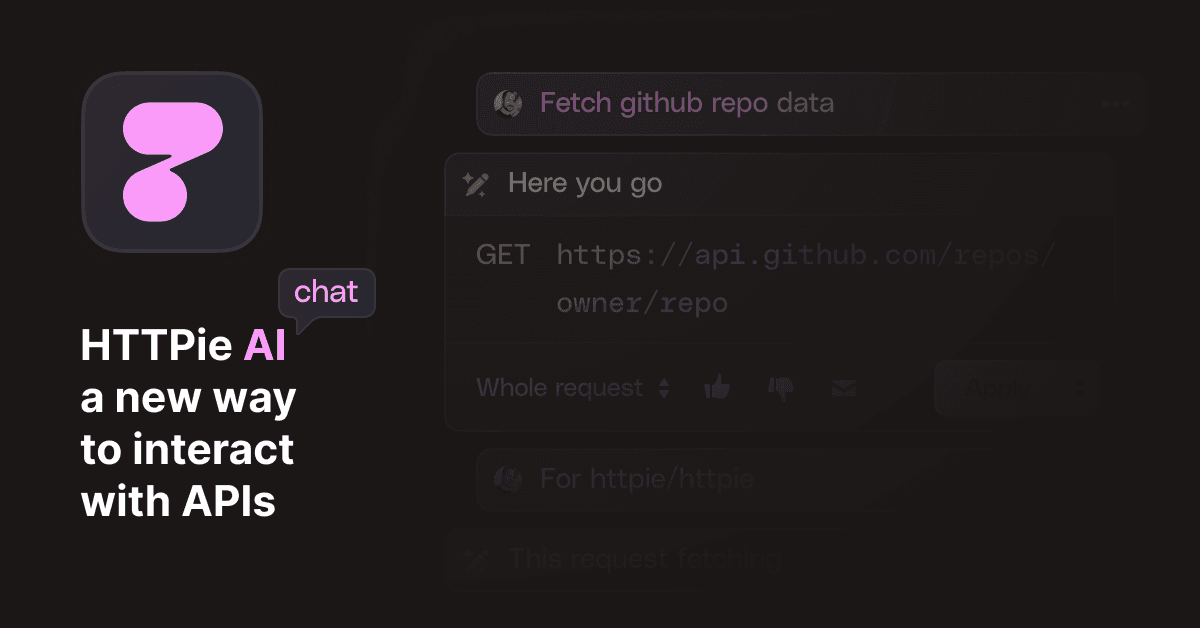
Overview
HTTPie AI helps developers create API requests without manually filling every method, URL, header, parameter, authentication field, and body value. A user can describe either the exact request structure or a higher-level intent, and the assistant proposes a request inside HTTPie's graphical client.
The generated result is a draft, not an authoritative API implementation. Users can inspect it, correct placeholders or errors, regenerate it, and save it before deciding whether to send the request. HTTPie can also generate a short name for a saved AI-created request.
The AI feature is available in HTTPie for Web and Desktop with a free HTTPie account. The underlying client supports REST, GraphQL, environments, variables, collections, request previews, and export to cURL, HTTPie CLI, and code snippets.
Use cases
The strongest fit depends on the job you need the product to complete, not the size of its feature list.
Developers who know what they want an API to do but need help translating the goal into an initial request structure.
Engineers creating a first draft before checking endpoint documentation, authentication, payload shape, and response behavior.
Teams already organizing requests in HTTPie spaces, collections, variables, and environments.
Quick experiments with recognizable services where a high-level instruction may be enough to suggest a useful starting request.
Capabilities
Describe the desired method, URL, headers, body, or overall task and receive a proposed request in the HTTPie interface.
For familiar public APIs, HTTPie AI can infer a likely endpoint and request structure from a goal such as listing users or fetching release details.
Review the proposed request, fix obvious mistakes and placeholders, revise the prompt, or regenerate a different version before saving.
Inspect the raw request and generated snippets before transmission, helping developers understand exactly what HTTPie will send.
Save AI-created requests in spaces and collections, apply variables and environments, and synchronize them across devices with an account.
Convert a request into cURL, HTTPie CLI, JSON, or supported code snippets for reuse in scripts, applications, tests, and documentation.
Process
Step 1
Use the Web or Desktop client, sign in to an HTTPie account, and start from the URL field or the dedicated AI dialog.
Step 2
Name the service, endpoint goal, method, data shape, authentication type, and important constraints; avoid including live secrets.
Step 3
Check the hostname, path, query parameters, method, headers, body, content type, and any invented or missing fields.
Step 4
Replace API keys, tokens, account IDs, and environment-specific values with HTTPie variables or other protected secret handling.
Step 5
Use a sandbox endpoint or non-production account, preview the raw request, and avoid destructive methods until the behavior is understood.
Step 6
Store the verified request in a collection and export it as cURL, HTTPie CLI, code, or JSON when it needs to move into another workflow.
Cost
HTTPie AI is currently free to use in preview with an HTTPie account. HTTPie Web and Desktop can also be used free without an account in incognito mode, but AI assistance, cloud backup, unlimited spaces, and cross-device sync require sign-in. HTTPie does not publish a separate paid AI plan or guaranteed future preview price.
Free
Use most HTTPie Web and Desktop request-building features with local storage and no account.
Free preview
Sign in to unlock HTTPie AI and account-based workspace features.
Pricing checked . Check current pricing at the source ↗
Assessment
Compare
The right alternative depends on the specific output, workflow, controls and budget your project requires.
Coding
Choose Postman when a larger collaborative API platform, testing ecosystem, governance, and team workspace are more important.
Explore Postman v11 →Business Operations
Choose ChatGPT when you want broader help interpreting API documentation and writing request code outside a dedicated API client.
Explore ChatGPT →Coding
Choose Claude Code when API calls need to be implemented, tested, and revised directly inside an existing codebase.
Explore Claude Code →Questions
HTTPie AI is an assistant in HTTPie Web and Desktop that converts natural-language descriptions into editable HTTP request drafts.
Yes during the current product preview. An HTTPie account is required to access the AI assistant.
It generates a request suggestion inside HTTPie. You can review, edit, regenerate, save, and preview it before choosing to send it.
Yes. For familiar public APIs, it can infer a likely request from a higher-level task. More specific prompts and official documentation generally produce safer results.
It can draft a request when you provide enough structure, but it cannot reliably know private endpoints, schemas, authentication, and business rules unless you describe them. Never include production secrets in the prompt.
Yes. HTTPie supports export to cURL, HTTPie CLI, code snippets, and JSON-based HTTPie formats.
It can replace a portion of lightweight request creation and testing, but teams needing extensive collaboration, governance, automated testing, monitoring, or a large API platform should compare the full products.
Bottom line
HTTPie AI is a convenient free accelerator for turning an API idea into an inspectable first request. Its real advantage is the surrounding HTTPie client, which makes verification and correction easy. Developers should still treat every generated request as untrusted until it matches official documentation and has been tested safely.
Visit HTTPie AI website ↗
Get access to all our AI courses, hundreds of real-world AI use cases, live expert-led workshops, an exclusive network of AI early adopters, and more.
Get unlimited access to all of our current & upcoming industry-specific AI courses for the duration of your subscription.
To keep up with the rapid pace of AI, our team publishes AI implementation guides daily. Our library contains 300+ practical use cases to automate real-world work.
Join weekly, live, interactive sessions with industry leaders who are at the forefront of AI for hands-on implementation guidance and exclusive insights.
Network with an exclusive community of AI-first professionals who are working smarter with AI. Learn how early adopters are using AI in their work and businesses.

.webp)

